Performance and Snapshots
Why These Artifacts Exist
The interactive explorer is excellent for exploration, but it is not ideal for comparing layout runs, inspecting cluster balance, or discussing algorithm tradeoffs in documentation. The generated artifacts on this page provide a reproducible static view of the current processed graph snapshot.
These images are derived from pipeline output files, not from manual screenshots. That makes them suitable for comparing algorithm changes over time because they can be regenerated from the same source data.
Current Snapshot Summary
Nodes
1,299
Edges
15,849
Clusters
10
Average degree
24.40
Graph density
0.0188
Largest cluster
441
Generated from processed pipeline files on 2026-04-07T14:12:47.551Z.
Graph Projection
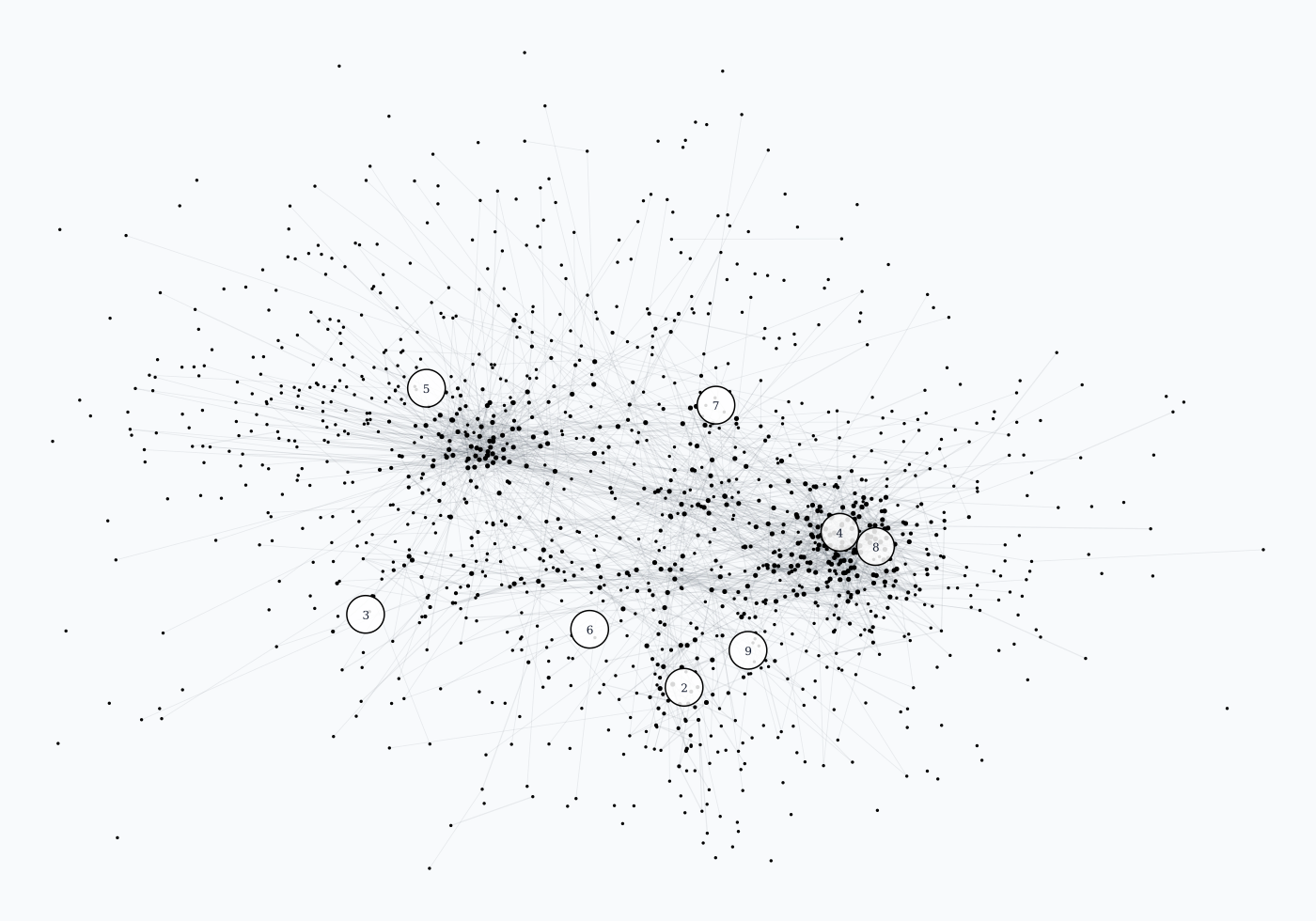
This projection maps the current 3D coordinates into a 2D SVG for documentation. Color still represents Louvain community membership. Faint lines are a sampled subset of the hyperlink graph, included to preserve structural context without overwhelming the image.
Degree Structure
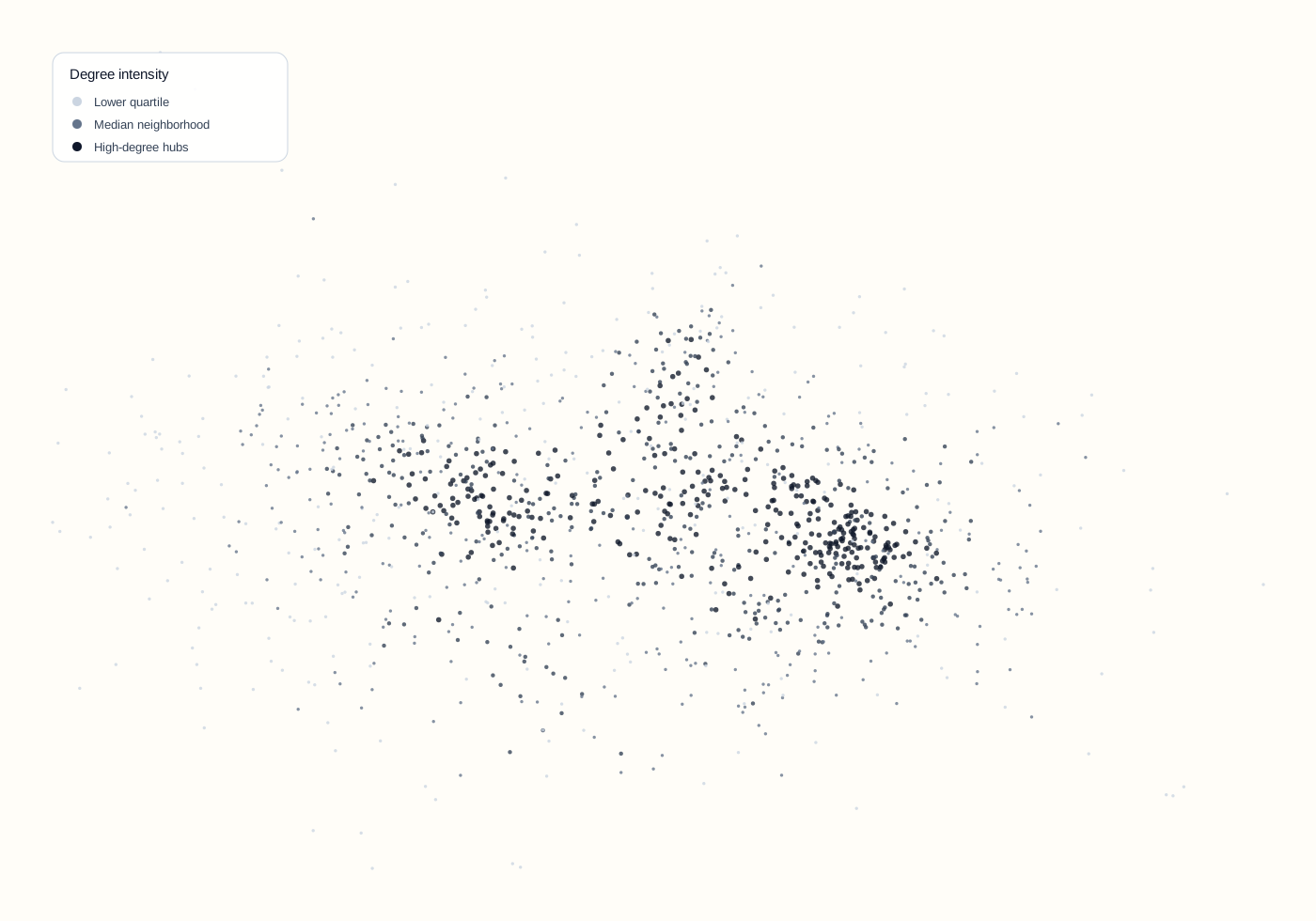
This view projects the layout using x and z coordinates and colors nodes by degree intensity. Darker nodes have more graph connections. It is useful for spotting hubs, over-centralized regions, and layout compression around high-degree articles.
Cluster Balance
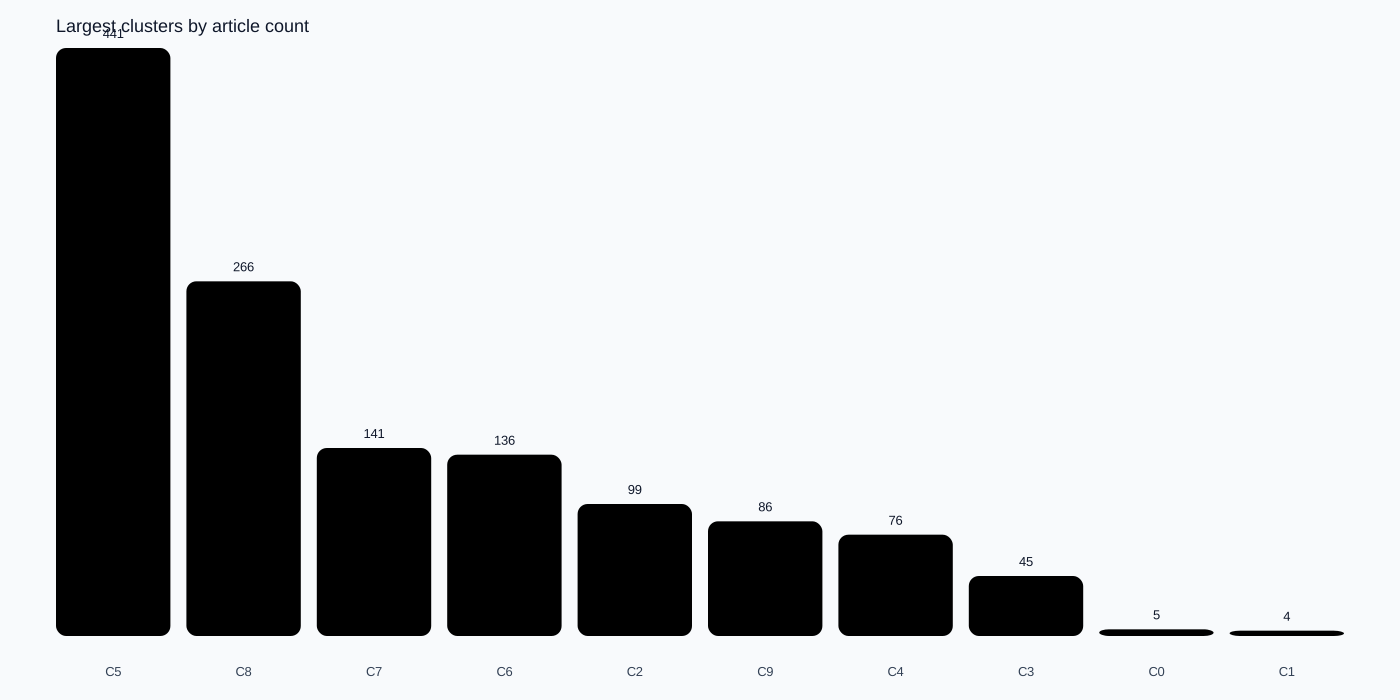
Cluster-size distribution helps evaluate whether the filtering and clustering steps are producing one dominant community or a useful set of differentiated topic regions. Large imbalance often suggests a filtering or resolution issue.
| Cluster | Articles |
|---|---|
| C5 | 441 |
| C8 | 266 |
| C7 | 141 |
| C6 | 136 |
| C2 | 99 |
| C9 | 86 |
| C4 | 76 |
| C3 | 45 |
| C0 | 5 |
| C1 | 4 |
How to Use These Artifacts for Optimization
- Compare projections before and after changing layout parameters such as UMAP neighbors, minimum distance, spring iterations, or graph filtering thresholds.
- Watch for excessive center collapse. If too many nodes stack near the middle, the layout is losing useful separation.
- Watch for over-fragmentation. If many clusters become tiny, the graph may be under-connected or the clustering resolution may be too aggressive.
- Use degree and bridge overlays together to distinguish generic hubs from cross-domain connectors.
- Keep artifact generation in the workflow when tuning Python pipeline algorithms so visual regressions are visible in pull requests and deployment reviews.